iPad Users Finally Get a Free Alternative to Adobe
Affinity has launched on iPad, bringing Canva’s design suite to Apple’s tablets with extensive features and a dedicated interface.
About a year ago, when Canva announced that it was making Affinity free, many users could hardly believe it. The decision brought together Serif’s three paid applications—previously known as Affinity Photo, Affinity Designer and Affinity Publisher—into a single creative tool. Combining photo editing, vector design and page layout, the suite emerged as a free alternative to Photoshop, Illustrator and InDesign.
From the outset, however, some worried that making Affinity free might mean an end to its development and updates. Over the past year, Canva has demonstrated otherwise. Last month, the company introduced new RAW image editing features, and now, with the release of a dedicated iPad version, it has filled one of the suite’s most significant remaining gaps.
The Full Affinity Experience on iPad
Before the unified, free desktop version of Affinity arrived, standalone versions of Affinity Photo 2, Affinity Designer 2 and Affinity Publisher 2 were already available for iPad. Customers who had purchased these applications could continue using them, but those versions did not support the new .af file format.
The new Affinity for iPad brings most of the desktop version’s capabilities to Apple’s tablets, with an interface designed from the ground up for touch interaction. It also supports Apple Pencil features such as pressure and tilt sensitivity for drawing and image masking. Advanced Apple Pencil Pro features, including barrel roll, squeeze and hover detection, are supported as well.
One of the new additions is Sketch Studio, which provides tools for freehand drawing and converting sketches into vectors. Other dedicated tools include Mask Tool for masking and Sketch to Shapes for turning hand-drawn sketches into graphic shapes.
As on the desktop, the drawing, vector design, photo editing and page layout workspaces all use the shared .af format. This integration allows users to move between creative workflows without exporting, converting files or rebuilding elements. Non-destructive edits are also displayed in real time.
For freehand drawing, the application includes a brush library with customizable settings for each brush. Drawings remain editable within the file and can be developed further at later stages without having to redraw or reconstruct the original sketch.
RAW image editing and the ability to create multipage, print-ready documents are also included.
AI Tools Require a Paid Subscription
Some of Affinity’s AI features are available through a Canva AI Studio subscription. These include Generative Expand for extending images, resolution enhancement, noise reduction and Decompose Layer. The latter can turn a flattened image into separate, editable layers.
iPad Becomes a More Capable Tool for Creative Work
The release of a dedicated Affinity app is part of a broader expansion of professional software on Apple’s tablets. Adobe’s Photoshop, Illustrator and Premiere, alongside DaVinci Resolve for video editing and Maxon’s ZBrush for 3D sculpting, have already introduced dedicated iPad versions.
With Affinity joining this lineup, the iPad Pro becomes an increasingly capable platform for professional design and visual content creation. It enables more flexible workflows, from working outside the studio and remotely to completing part of a project in a different setting before continuing on the desktop.
Affinity for iPad is free and is available to download from the App Store. A free Canva account is required to use the application, while access to its AI tools requires a paid Canva subscription.
https://www.affinity.studio/ipad-app
Latest
Gallery
- November 08, 2026
Gallery Of Humor Drawing By Ahmad Qaddura - Palestine_2
News
- November 08, 2026
The Art Market in Madrid
News
- November 08, 2026
iPad Users Finally Get a Free Alternative to Adobe
News
- November 08, 2026
Quixel Megascans Becomes Free for Unlimited Access
Daily Artwork

Publications
- November 08, 2026
Photographer’s Guide to Yellowstone and the Tetons
Publications
- November 08, 2026
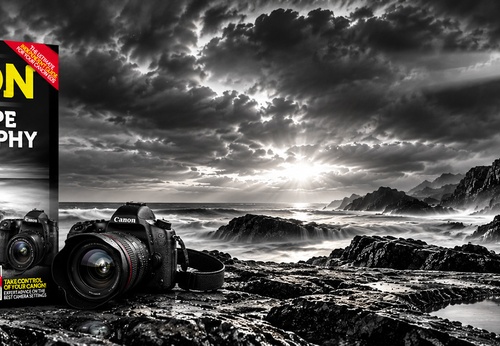
THE CANON GUIDE TO LANDSCAPE PHOTOGRAPHY
Article
- November 07, 2026
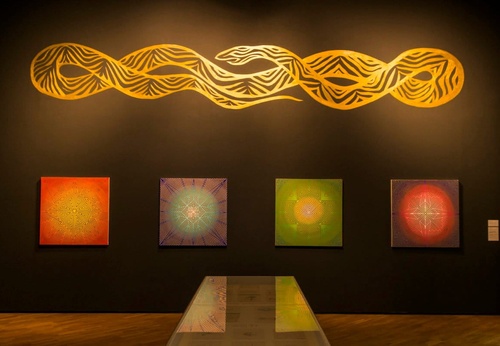
The Rise of Contemporary Indigenous Art in Brazil
Article
- November 07, 2026
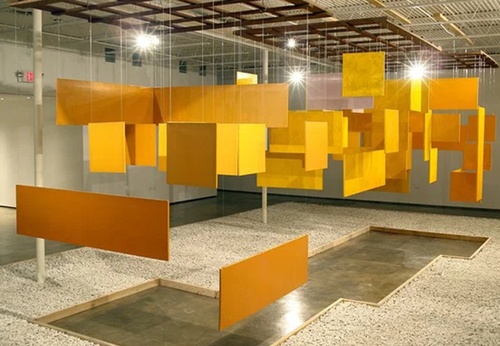
Neoconcretism: When Art Invites Touch
- November 08, 2026
The Art Market in Madrid
- November 08, 2026
iPad Users Finally Get a Free Alternati…

- November 08, 2026
Quixel Megascans Becomes Free for Unlim…

- November 05, 2026
Newsweek: Politics – A Troubling Vision…

- November 05, 2026
he New Yorker Celebrates the Democrats’…

- October 31, 2026
35th Edition of arteba at La Rural
- October 31, 2026
The Art of Picasso, Klee, and Matisse A…
- October 29, 2026
Malba Announces the Acquisition of the …
- October 28, 2026
Art Basel Miami Beach 2026 Revamp
- October 28, 2026
Excitement Surrounds Frida Kahlo’s Work…

- October 27, 2026
Eduardo Costantini to be honored in New…
- October 26, 2026
Latin American Art Takes Center Stage a…

- October 25, 2026
Julio Cortázar Museum brings together w…
- October 04, 2026
MALBA in Buenos Aires Celebrates 25 Yea…
- August 26, 2026
The Passing of Sliman Mansour: An Artis…
- August 13, 2026
Botero Returns to New York to Revisit t…

- August 11, 2026
"Malba-Costantini Collection: Latin Ame…
- August 10, 2026
The Most Important Exhibition on the Me…

- August 06, 2026
Cau Gomez Launches Official Website
- July 04, 2026
Football and Art at Museo Jumex

- October 08, 2023
Illustrations reflect the brutal Israel…
- December 25, 2023
The jury statement of the Iran-Brazil F…

- July 29, 2023
History of Caricature in Brazil
- June 05, 2026
“Noise” Wins Award and Expands Internat…

- March 21, 2024
The history of art in Palestine

- September 01, 2023
Neural Filters in new photoshop 2023
- May 22, 2025
Brady Izquierdo’s Personal Exhibition O…
- April 20, 2024
Poignant Image of Grief Wins Mohammed S…

- October 21, 2023
Erick Meyenberg and Tania Ragasol at th…
- May 15, 2024
Eleven murals for Gaza painted across t…
- June 29, 2024
Exhibition at Centro MariAntonia contra…
- February 18, 2024
7 Ways to Understand What Visual Arts A…
- August 09, 2023
Venezuela mural expresses solidarity wi…

- March 14, 2024
museum of statue of van gogh

- May 25, 2025
Bordalo II to hold exhibition in Paris …
- May 20, 2024
Latin American Festival of Performing A…
- March 30, 2024
illustration websites in Latin America
- March 15, 2024
museum of sculpture of Salvador Dali
- June 03, 2026
Julio Le Parc, artist of light and move…
- May 27, 2025
Works by Botero, Grau, and 80 other imp…
- May 15, 2024
Eleven murals for Gaza painted across t…
- February 18, 2024
7 Ways to Understand What Visual Arts A…
- February 03, 2024
THE HISTORY OF NAIF ART

- January 02, 2025
13 commemorations that will mark the cu…

- July 02, 2024
One of the largest urban art galleries …
- October 17, 2023
The influence of Latin American artists…
- October 08, 2023
Illustrations reflect the brutal Israel…

- November 17, 2023
Fernando Botero's work is booming after…
- July 29, 2023
Piracicaba International Humor Exhibiti…
- December 25, 2023
The jury statement of the Iran-Brazil F…
- November 06, 2023
Heba Zagout: Palestinian artist murdere…
- December 10, 2023
Sliman Mansour and Palestinian art on t…
- March 14, 2024
museum of statue of van gogh
- March 21, 2024
The history of art in Palestine
- February 01, 2025
A maior exposição de Botero em Barcelona
- February 08, 2024
Art Week 2024 in CDMX
- April 20, 2024
Poignant Image of Grief Wins Mohammed S…
- July 20, 2024
First International Mail Art Biennial 2…

- October 30, 2023
Palestinian turns images of the Gaza co…
- September 01, 2023
Neural Filters in new photoshop 2023